
Download ColorNote APK 4.8.6 on Android

- Android 5.0+
- Version: 4.8.6
- 47 MB
Updated to version 4.8.6!

ColorNote APK is a lightweight note-taking app designed for people who want to save ideas, create quick reminders, organize tasks, and keep important information within easy reach. Instead of filling the screen with complicated productivity tools, ColorNote focuses on the essentials: writing notes quickly, organizing them with colors, creating checklists, and managing everyday information in a simple way. For users who prefer a straightforward note app that feels comfortable from the first use, ColorNote APK is an interesting choice.
What Makes ColorNote APK Useful?
There are times when opening a full productivity application feels unnecessary. You may simply need to write down a phone number, remember an idea, create a shopping list, or note something you need to finish later. This is where ColorNote becomes useful.
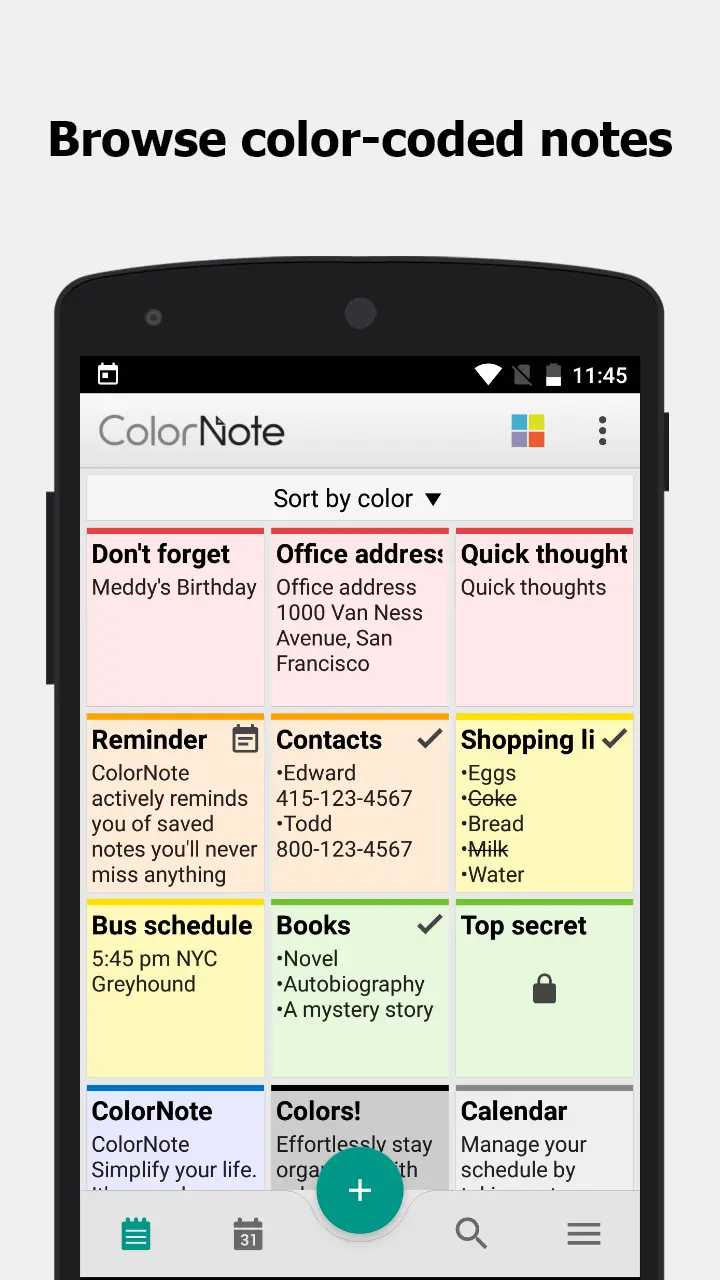
The app is built around quick access and simple organization. Notes can be separated by different colors, making it easier to recognize personal reminders, work-related information, shopping lists, or temporary ideas at a glance. After using it for a while, the color system can become surprisingly practical because you start associating particular colors with particular types of information.
Another advantage is that ColorNote does not require users to spend a long time learning complicated menus. The interface is familiar enough that most people can start writing almost immediately.
Key Features of ColorNote APK
Quick Note Creation
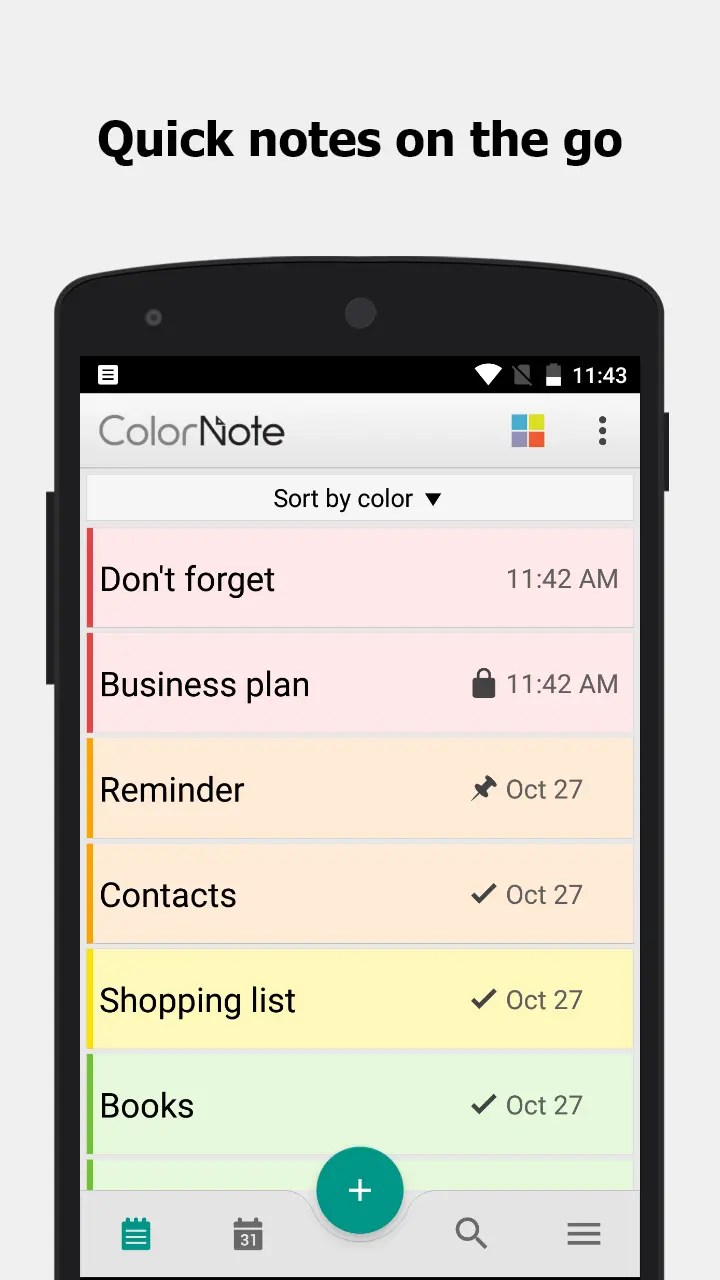
The main strength of ColorNote is the ability to create notes quickly. When an idea suddenly appears or you need to remember something, you can open the application, type the information, and save it without going through a complicated setup process.
This simple workflow is particularly useful for short notes that do not need advanced formatting. Instead of treating every piece of information like a formal document, ColorNote works more like a digital notebook that is always available on your phone.
Color-Based Organization
Color organization is one of the features that gives ColorNote its recognizable style. Different notes can be assigned different colors, allowing users to visually separate categories without creating a complicated folder structure.
For example, you might use one color for work, another for personal reminders, and another for shopping. Over time, this makes a large collection of notes easier to scan because the colors provide an additional visual layer.
Checklist Support
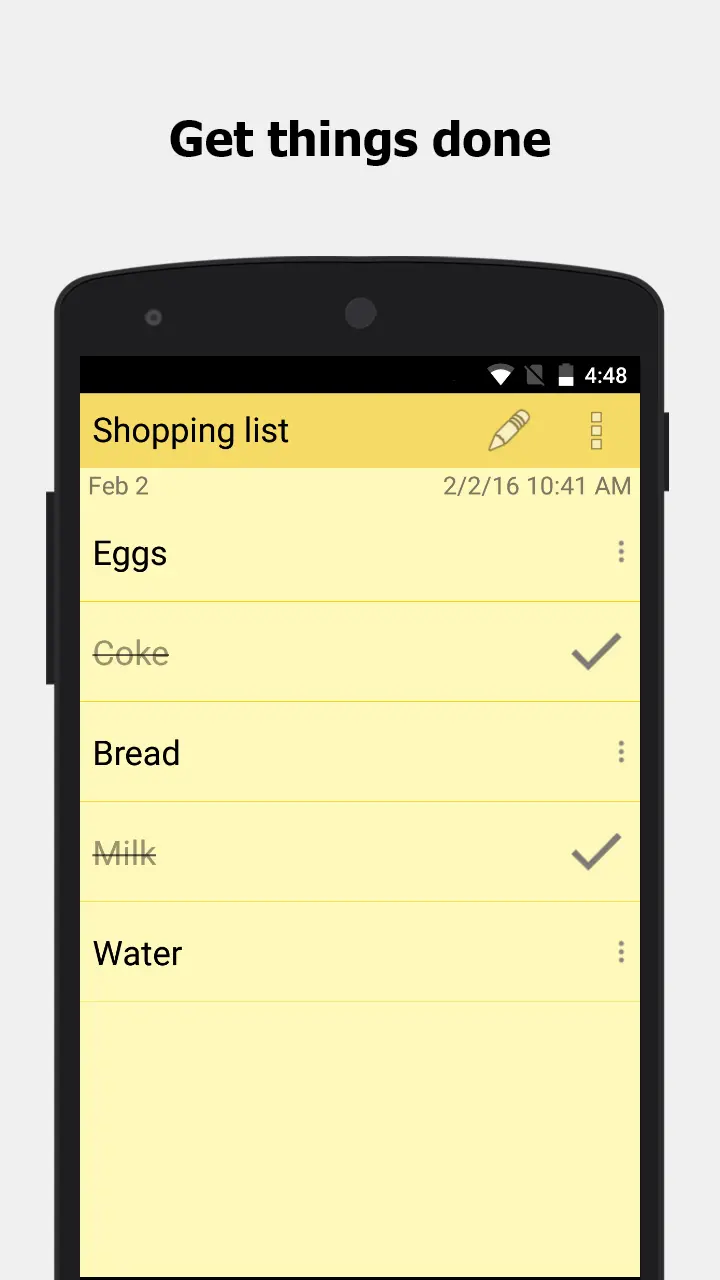
ColorNote is not limited to traditional text notes. Checklist-style notes are useful when you need to track multiple small tasks. A shopping list is an obvious example, but the same feature can be used for study tasks, travel preparation, daily chores, or a list of things to complete during a busy day.
Checking items off one by one also gives the experience a more practical feel than simply writing everything inside a paragraph.
Reminders for Important Notes
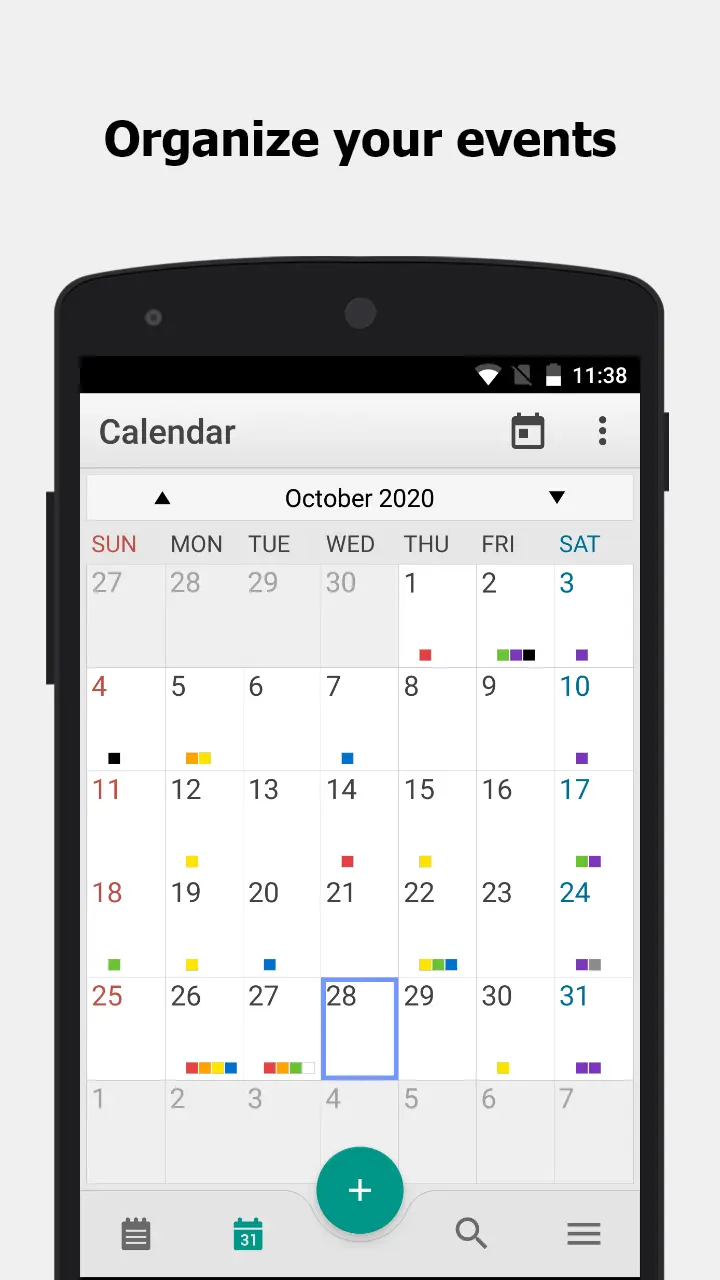
A note is only useful if you remember to look at it. Reminder functionality helps solve this problem by bringing important information back to your attention when needed. This can be useful for appointments, small tasks, deadlines, or anything that is easy to forget during a busy day.
Simple Search and Note Management
Once you have accumulated many notes, manually scrolling through them can become inconvenient. Search and organization tools make it easier to locate older information without remembering exactly when the note was created.
This becomes especially valuable for people who use ColorNote as a long-term digital notebook rather than just an occasional scratchpad.
How to Use ColorNote APK Effectively
Getting started does not require a complicated workflow. Begin by deciding what kind of information you normally need to save. Instead of creating random notes for everything, use a few consistent categories.
For example, personal ideas can have one color, shopping information another, and work or study tasks another. The exact system does not matter as much as consistency. Once your brain becomes familiar with the colors, finding information becomes faster.
For task management, use checklist notes rather than putting every task into a normal paragraph. Break large activities into smaller actions. This makes the list easier to follow and gives you a clear sense of progress as individual items are completed.
It is also worth reviewing old notes occasionally. Digital notebooks can become cluttered when temporary information is never removed. Deleting outdated notes and keeping useful information organized will make the application feel much cleaner.
My Experience With the ColorNote-Style Workflow
What stands out most about this type of note-taking experience is how little effort is required. Many productivity applications try to provide calendars, project boards, advanced formatting, collaboration systems, and dozens of additional options. Those features can be useful, but they can also make a simple task feel unnecessarily complicated.
ColorNote takes the opposite approach. When the goal is simply to write something down before you forget it, a minimal interface can actually be more productive.
The color system is also more useful than it initially appears. Instead of reading every title carefully, you can recognize categories visually. After several days of using a consistent color system, opening the notes list feels more intuitive because you already know where certain types of information are likely to be.
Of course, the simplicity also means ColorNote is not designed to replace every productivity application. Users who need sophisticated project management, extensive document formatting, or advanced team collaboration may want a more specialized solution. For everyday notes and personal organization, however, keeping things simple can be an advantage.
Tips for Better Note Organization
Keep Note Titles Short
A short, descriptive title makes older notes much easier to recognize. Instead of writing a long sentence as the title, use something that immediately tells you what the note contains.
Use Colors Consistently
A color system only works when it remains predictable. Decide what each color represents and try not to change the meaning randomly. This creates a visual filing system that becomes easier to understand over time.
Separate Temporary and Important Information
Not every note needs to stay forever. Temporary reminders, quick calculations, or short shopping lists can be removed after they are no longer useful. Keeping important information separate from temporary notes helps prevent unnecessary clutter.
Use Checklists for Actions
If something contains multiple tasks, convert it into a checklist. This makes it much easier to see what has already been completed and what still needs attention.
Who Should Try ColorNote APK?
ColorNote is a good fit for users who value speed, simplicity, and straightforward organization. Students can use it for study reminders and quick ideas, while workers can keep short task lists and important information in one place. It can also be useful for everyday situations such as grocery shopping, travel preparation, personal planning, and remembering things that would otherwise be forgotten.
People who dislike complicated productivity applications may appreciate its lightweight approach. Instead of requiring users to build an elaborate productivity system, ColorNote lets them start with a simple note and gradually develop their own organization habits.
Conclusion
ColorNote APK is appealing because it understands that note-taking does not always need to be complicated. Its combination of quick notes, color organization, checklists, and reminders creates a practical workflow for everyday use. Whether you need to capture an idea, prepare a shopping list, remember a task, or organize small pieces of information, the app provides a simple digital notebook experience. For users who prefer a clean and uncomplicated approach to personal organization, ColorNote is worth considering.


- Updated:
- Price $0
- Installs 1000000+
- Rated for 3+ years
On our site you can easily download latest version ColorNote! All without registration and send SMS!